
SYS.PROJECTS
Image Generation MCP Server (Gemini Nano Banana, Open Source)
Free, open-source MCP server for AI image generation via Gemini Nano Banana. Generate any aspect ratio up to 4K, edit source images, and use it from Claude Code, Cursor, Claude Desktop, or any MCP-compatible IDE.
Why This Exists
Google's AntiGravity IDE can generate images inline using Gemini Nano Banana, which is great for websites, game sprites, UI assets. But it only outputs square images. That's a dealbreaker for most real projects. My website needs landscape thumbnails. Games need wide backgrounds. Marketing assets need specific aspect ratios. Square-only is a non-starter.
Rather than waiting for Google to fix it, I asked Claude Code to build an MCP server that calls the Gemini image generation API directly, with full control over dimensions. It built the whole thing in one shot.
What It Does
The server exposes a generate_image tool via the Model Context Protocol, so any MCP-compatible agent can call it. Claude Code, Claude Desktop, Cursor, AntiGravity, anything with MCP support.
- Any aspect ratio: 1:1, 16:9, 9:16, 4:3, 3:4, 3:2, 2:3, 4:5, 5:4, and 21:9 ultrawide
- Resolutions up to 4K: small (1K), medium (2K), large (2K), and xlarge (4K)
- Negative prompts: specify what you don't want in the image
- Source/reference images: pass in up to 14 existing images for editing, style transfer, or character consistency
- Automatic local saving: images save to
~/gemini_imageswith organized filenames
Three Models, Different Tradeoffs
The server supports all three Gemini image models, and you pick the right one for the job:
Gemini 3 Pro (Nano Banana Pro) is the quality ceiling. Best detail, best coherence, supports source images for editing and multi-character consistency. Use this for final assets.
Gemini 3.1 Flash (Nano Banana 2, just released) is the one I'm most excited about. It brings most of Pro's capabilities at Flash speed: subject consistency, text rendering, resolutions up to 4K, and real-time web search grounding. After testing it, the quality doesn't quite match Pro. You can tell. But because it's so much faster and cheaper, you can generate way more variations in the same time. That makes it the better tool for brainstorming and rapid iteration. When you need the final polished version, switch back to Pro.
Gemini 2.5 Flash (Nano Banana) is the legacy option. Fixed at 1024px, fastest of the three, good for quick throwaway generations where quality doesn't matter much.
Example Output
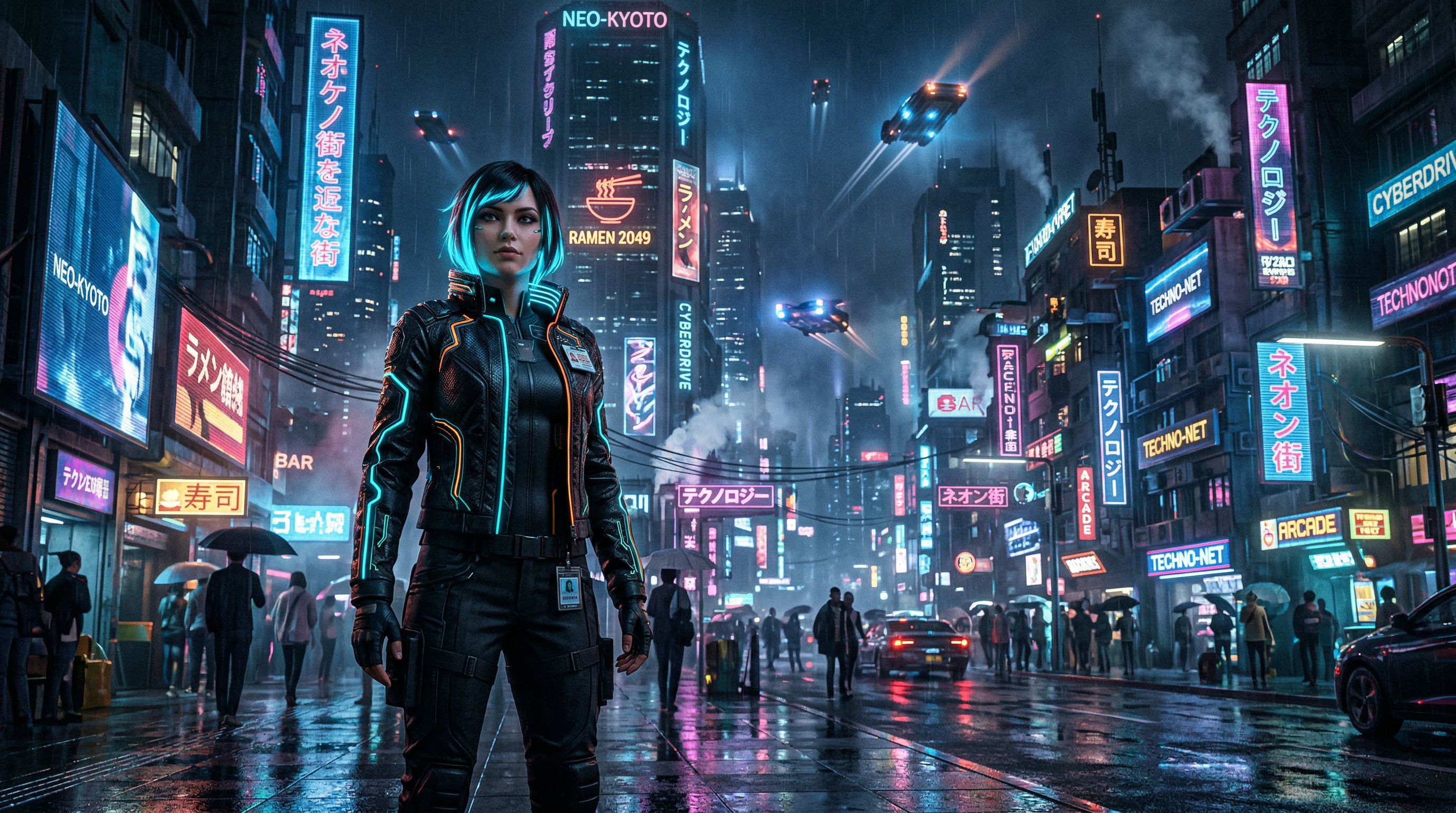
This image was generated with Nano Banana 2 at 16:9 directly from Claude Code using the MCP server:
Source Image Editing
One of the newer features: you can pass in existing images as references. This works similarly to the web grounding feature in the Gemini app, but from your editor. Some use cases:
- Pass in a photo and ask the model to restyle it as a watercolor painting
- Provide character reference images to maintain consistency across multiple generations
- Edit specific parts of an existing image while keeping the rest intact
- Combine elements from multiple source images into a new composition
Source images support PNG, JPG, GIF, and WebP. Gemini 3 Pro supports up to 14 reference images in a single request, which is enough for storyboarding entire scenes with consistent characters and objects.
Setup
You need a Google Gemini API key (free tier available). Clone the repo, install, build, and add the server to your MCP config:
git clone https://github.com/Legorobotdude/mcp-image-gen.git
cd mcp-image-gen
pnpm install && pnpm build
Then add it to your Claude Desktop or Claude Code config:
{
  "mcpServers": {
    "mcp-image-gen": {
      "command": "node",
      "args": ["/path/to/mcp-image-gen/dist/index.js"],
      "env": {
        "GEMINI_API_KEY": "your_api_key_here"
      }
    }
  }
}
There's also an optional config.json for setting defaults (model, aspect ratio, image size, output directory) so you don't have to specify them every time.
The MCP Pattern
This is one of several MCP servers I've built, and the pattern keeps proving itself. Instead of asking your AI agent to write code that calls an API, you give it a tool that does exactly what it needs. The agent says "generate an image of X at 16:9" and gets back a file path. No boilerplate, no API wrangling, no context wasted on implementation details.
If you're building with AI agents and need inline image generation, check out the source on GitHub. And if you want your agent to manage project tasks too, take a look at AGINEAR, same MCP approach applied to project management.
FREQUENTLY ASKED QUESTIONS
What is the Image Generation MCP Server?
It is an open-source MCP server that enables AI image generation via Gemini at any aspect ratio, resolution up to 4K, and with source image editing. Works with Claude Code, Cursor, Claude Desktop, and any MCP-compatible IDE.
Does the Image Generation MCP Server support Nano Banana 2?
Yes. It supports Gemini 3.1 Flash (Nano Banana 2), Gemini 3 Pro (Nano Banana Pro), and Gemini 2.5 Flash (Nano Banana). You can switch models per request.
Is the Image Generation MCP Server free?
Yes. It is free and open source under the MIT license. You need a Google Gemini API key to use it.
